Process
-
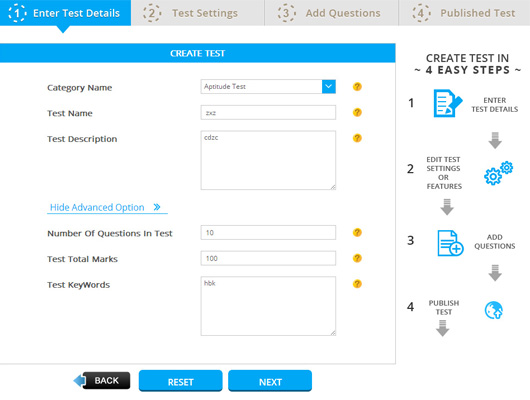
Create Test
Let’s Start your Awesome Experience of Online Test Creation!! Create your Test Profile with Relevant Category, Searchable Name and Effective Description. Please look at Advance Options also to make your Test specific and Search Friendly.
-

Test Setting
Awesome!! Very useful and Helpful Test Setting that will give the so many options / Edges to your test in Competitive Market. Test Setting is the Platform where you conduct and Organize Tests as You Desired. Let’s go through with Each Setting (in General Setting and Advance Setting Tab) and Use Smartly.
-
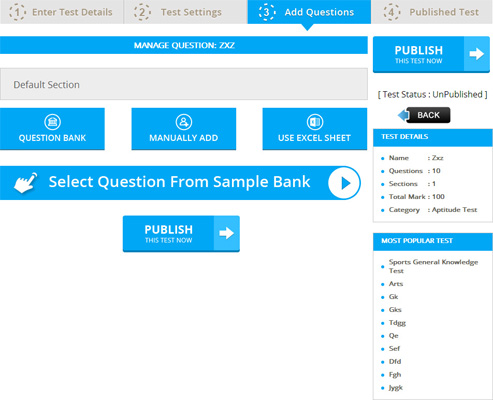
Add Questions
You need to Add/Enter the Question in Test. In this Stage, You can use the vast range of Questions available in Your Question Bank to Add in Test. You have many option to add question in test like you add question manually enter, you can add question from your question bank and also you can import from predefined excel sheet. So add question is very easy and time saving process.
-

Publish
This is Last Step of Test creation Process. Here you can publish your test. If you realize that some things in wrong it than you can unpublished your Test. As soon as You Unpublished Your Test hide from your Student and also you can Publish it.